Scans installed applications for vulnerabilities and simplifies updating outdated, insecure software
Scans installed applications for vulnerabilities and simplifies updating outdated, insecure software
Vote (11 votes)
Program license Free
Developer Secunia
Version 3.0.0.11005
Works under Windows
Vote
(11 votes)
Developer
Secunia
Works under
Windows
Program license
Free
Version
3.0.0.11005
Pros
- Comprehensive detection of outdated software and missing security patches
- User-friendly interface with both simple and advanced modes
- Automated patching for many popular applications
- Low system resource usage
- Broad language support
- Useful for both novices and advanced users
Cons
- May not support automatic updates for rare or proprietary software
- No malware removal capabilities; focuses only on patch management
- Requires regular scans to maintain up-to-date protection
A security tool for detecting outdated software and patching vulnerabilities.
Overview
Secunia Personal Software Inspector (PSI) is a security utility designed to scan Windows systems for outdated applications and missing patches. By monitoring software installations, it helps users protect their computers against vulnerabilities that could be exploited by malware or unauthorized intruders. The program emphasizes straightforward solutions to bolster a computer’s defenses with minimal user intervention.
Interface and Usability
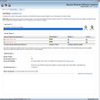
Secunia PSI features a clean, no-nonsense interface with two operational modes: Simple and Advanced. The Simple mode is ideal for less experienced users, automatically handling most updates and providing clear action prompts. Advanced mode reveals detailed information about discovered issues, such as in-depth descriptions of vulnerabilities, lists of end-of-life programs, and the current status of popular browsers.
The software also includes an “Easy-To-Patch” filter, allowing users to focus on software that can be readily updated. This makes the patch management process more manageable for users who prefer an incremental approach to system maintenance.
Scanning and Detection
Secunia PSI performs comprehensive scans across the system, identifying applications that are outdated or missing critical security updates. The tool cross-references its findings with an extensive vulnerability database to provide accurate and up-to-date assessments. Results are displayed in a clear summary, highlighting which programs require attention and categorizing threats based on severity.
Automated Patching
A standout feature is Secunia PSI’s ability to automate software updates for many programs. In Simple mode, users benefit from automatic identification, download, and installation of necessary patches, reducing manual effort and minimizing user error. For less common applications or those without silent updates, the program provides direct links to official patches.
Support for Multiple Languages
The application supports a broad array of languages, making it accessible to users across different regions. All menus and prompts are localized, ensuring the tool remains user-friendly, regardless of the user’s native language.
Performance and Resource Usage
Secunia PSI is lightweight and does not noticeably impact system performance during background scans. It is designed to run quietly, alerting users only when action is needed rather than interrupting typical workflows.
Security Integration
While not a replacement for a dedicated antivirus program, Secunia PSI complements existing security solutions by focusing on the often-overlooked vulnerabilities that arise from unpatched software. Its proactive approach assists users in maintaining a well-secured computing environment.
Pros
- Comprehensive detection of outdated software and missing security patches
- User-friendly interface with both simple and advanced modes
- Automated patching for many popular applications
- Low system resource usage
- Broad language support
- Useful for both novices and advanced users
Cons
- May not support automatic updates for rare or proprietary software
- No malware removal capabilities; focuses only on patch management
- Requires regular scans to maintain up-to-date protection